Client
SCRIPTFLIP
Industry
Dubbing, Adapting
Products Used
VoiceQ Pro/Writer/Cloud
We recently caught up with Marco Cesare, Dubbing Adapter & co-founder of ScriptFlip Digital based out of Los Angeles to get his thoughts on the future of work and the impact of technology for the audio post localization sector.
Marco comments on his journey into sector, from recordist to dubbing expert to technology creator and what it takes to achieve authentic efficient, trusted and quality localization.
When did you start in the sector?
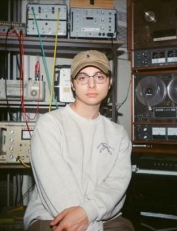
I initially started out in dubbing as a recordist at VSI Los Angeles in 2022, after having primarily worked as a recording engineer in the music industry for several years prior. I’d been referred to VSI by a close friend, and now fellow ScriptFlip co-founder, Owen Lantz, as he’d just been hired as a recordist at VSI himself, after leaving a music recording studio we’d been working at together. I had no prior direct exposure to the dubbing industry outside of watching dubbed content as a consumer, so the idea of breaking into that territory was very intriguing to me!
What was the primary driver to pursue a career in the sector
As a matter of fact, I hadn’t necessarily set out to pursue a career in dubbing directly, until I had already started out at VSI. Having previously worked on VFX, audio-visual, and post-production projects in various capacities prior to entering the dubbing industry, I’d acquired a variety of skill sets that I rarely ever had the opportunity to use simultaneously. Within the first few months of being at VSI, I discovered that dubbing required me to leverage everything I knew; high-level recording, ‘seeing sync’, creative writing, and deep knowledge of computers and technology. It was a long-awaited point of convergence, an opportunity for me to combine my acquired knowledge to create something, to help tell stories. That opportunity drove me to ultimately become more involved in adaptation, understanding the essence and the ‘voice’ of the original content, and utilizing what I’d learned about the rest of the dubbing process and pipeline to support it from the earliest, most fundamental stage.
What are the primary services you offer?
I primarily offer script adaptation services both as an individual, and through the adaptation studio I co-founded, ScriptFlip. Separately, I also occasionally work with dubbing studios in a consulting capacity, helping refactor certain parts of their workflow that they feel aren’t working for them, and building frameworks to help strengthen those areas. Sometimes it’s developing a better method of task and project management for a specific stage of the dubbing process, or building out an entirely new processing pipeline.
What are the key workflow problems to solve?
Truthfully, I think the nexus of most workflow problems is communication.
Technical problems will always pop up, deadlines move, creative decisions will always need to be made, but the real set-backs come from lack of team-wide visibility and communication about those things. What allows both ScriptFlip, and myself, to deliver consistent high-quality results is that we’re communicative to the point of being nearly annoying.
We take note of everything, even the smallest, most nuanced cultural reference in the background of a scene, and we ask questions— because we understand that what we’re doing directly affects the rest of the process. We track changes we make to the script throughout adaptation and deliver comprehensive logs, detailing things like re-named incidental characters, lines or scenes with a specific cultural nuance, long sections of efforts that can be safely pulled from the OV; anything that we can communicate to production, casting, and the director, to help make the process be more efficient and informed.
Dubbing requires each person at each stage to operate at their best, but they can only do their best with what they know. Covering knowledge gaps by communicating and raising flags early in the process allows each stage to reach its full potential, and avoid back-tracking, delays, and rush-jobs (which are key workflow problems) later down the line.
What are the key sector trends driving change?
AI is the most obvious driver of change, but more specifically, it’s how AI dubbing solutions are raising awareness of dubbing as an industry overall. Tools like Flawless, Deepdub, and ElevenLabs are becoming more and more commonplace; even Canva has an AI dubbing tool. More and more people are becoming aware of, and more accepting of dubbed content at a much higher rate than before, which I think is great.
At the same time, this trend is highlighting the complexity of true, high-quality dubbing. Having explored developing similar text-based solutions, I personally understand the level of complexity that goes into getting a machine to understand natural language, emotion, inflection, and conversational context. A human voice actor, for instance, is taking visual input from both the video on-screen and the script, auditory input from the original dialogue, and inferring creative and situational context from the surrounding dialogue while giving their performance.
To emulate and process that kind of multi-modal input and generate an emotional, articulate, human response, in my experience, nets uncanny results.
As a result, the sector is naturally stratifying; AI solutions are gaining traction for lower-budget or short-form content on platforms like YouTube, TikTok, and Reels, while large, union-scale productions for major streaming content providers continue to rely on human voice actors, adapters, directors, editors, and the like, to create believable, emotionally grounded performances and end products. While AI is undeniably driving change and generating excitement in the space, I see it as expanding awareness and access rather than replacing the human-led workflows required for truly high-quality dubbing.
What are the key consumer trends driving change?
The major trend is that audiences are getting much better at discerning bad dubs.
As audiences are exposed to more content, they’re becoming increasingly sensitive to, and aware of, emotional authenticity, timing, and performance believability, and are quick to notice when a dub feels flat or uncanny. Viewers may not always articulate why something feels off, but they instinctively recognize mismatches in tone, intent, or emotional response, particularly in dialogue-heavy or dramatic content.
Social media discourse, side-by-side comparisons, and global access to multiple localized versions of content have all accelerated this awareness, raising audience expectations around what “good” dubbing should feel like. This growing quality awareness and viewer scrutinization serves to reinforce the value of human-led dubbing workflows for premium content, even as AI solutions help meet demand at other tiers.
Leadership, staff and great talent often play a huge role in organisational success. Can you share any insights on your approach and who has influenced your success?
To me, organizational success is the direct result of a workflow that allows talent to focus entirely on their craft with as few points of friction as possible. The way I approach leadership specifically in a dubbing context primarily developed when I was the Adaptation Supervisor at Igloo Music.
In dubbing, many key creative decisions, particularly in adaptation, happen outside the studio’s formal production structure. If those decisions happen in a vacuum, they inevitably create bottlenecks for the directors and mixers downstream, potentially even end-client title managers.
So, I view my role as building the infrastructure to bridge that gap. I focus on establishing clear communication early on so that voice talent, production, and directors aren’t stuck solving preventable issues under pressure. When you clear that path, you aren't just gaining efficiency; you’re retaining talent, because creative professionals thrive when they are supported by reliable systems rather than having to navigate ambiguity.
As for who influenced me, it wasn’t necessarily a single executive figure. Truthfully, my success has been shaped by a network of incredibly encouraging, intelligent people I’ve been lucky to have around me. They demonstrated a core truth that I now live by: when someone feels genuinely supported in their pursuit to make a difference, the results are often transformative. I try to bring that same ethos to my work—building systems that back the team, so they feel equipped and empowered to deliver a superior product.
What are the main technology platforms you use?
I’ve got quite the laundry list of platforms and solutions I use in my dubbing work, but I primarily use VoiceQ for adaptation, Plutio for project management, invoicing, and client accounting, and SideNotes to quickly note any important changes I make during adaptation (re-naming characters, adding characters) as well as any specific lines or scenes I’d like to flag to production. I’ve also been a fan of Lightshot for taking character screenshots when required by the client; as it allows me to set my own ‘screenshot’ keyboard shortcut; as opposed to the native macOS screenshot shortcut (re-mapping that is, surprisingly, a nightmare).
On that note, Keyboard Maestro used to be a fairly integral part of my process as well, powering custom shortcuts and automations that I use extremely often when adapting, such as inserting breaths or reactions, or changing the assigned character of a line. However, while it’s an amazing program for most use cases, there’s a limit to how deeply it can integrate with things like VoiceQ, needing to rely on searching for images on your screen, or other somewhat-hacky solutions. After spending a couple years wanting a cleaner, more direct method, I built ShortQuts, which natively hooks into VoiceQ’s UI using hard code to reliably work on any system, and any display, with no out-of-the-box setup required.

How did you come across VoiceQ technology?
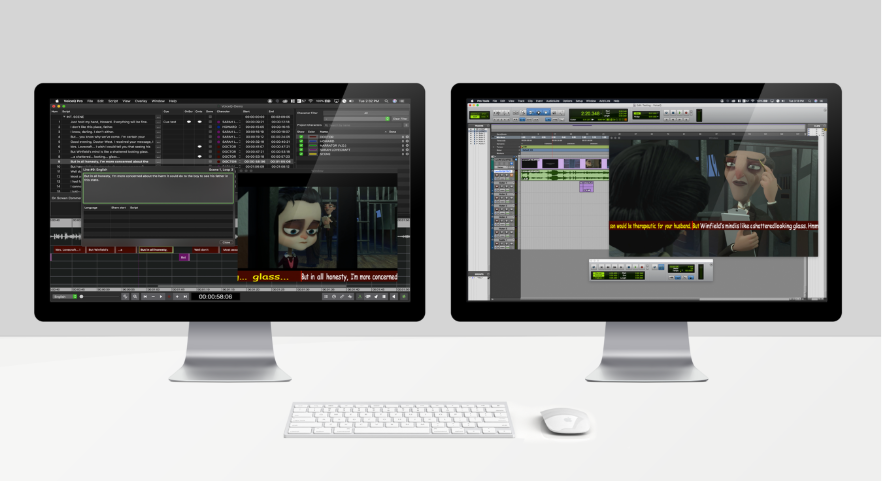
I first came across VoiceQ during the session sit-in interview at VSI Los Angeles, my first entrance into the dubbing industry. I was deeply impressed, primarily because while it was my first time seeing any software used in ADR and dubbing recording, VoiceQ’s implementation logic made immediate sense. The rhythmoband, the spreadsheet-style script view, the fixed-pane character filter, and the timeline all felt incredibly intuitive. Coming from the world of AVID Pro Tools and Ableton, and non-linear video editing tools like After Effects and Cinema 4D, having lines of dialogue displayed in the timeline similarly to how DAWs and VFX platforms display video or audio clips made using VoiceQ very easy to understand.
Where does VoiceQ provide the most workflow value?
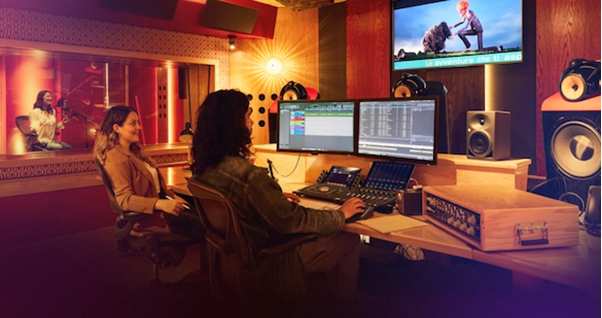
VoiceQ isn’t just a standalone program, it’s a means of centralizing the script-to-session pipeline. The ability for me as an adapter to set individual word timings, add alternate versions, make nuanced changes to line speeds, and then have all of that precise information fully carry over directly into the recording booth is invaluable.
Many studios have relied on, or continue to rely on, the ‘spreadsheets & beeps’ method, where scripts are sometimes physically printed, revisions are slow, and word-level timing precision is mostly left up to the actor and dialogue editors. Being able to make precise changes, or even full conforms & sync them directly to the studio through VoiceQ Cloud is a game-changer.
With purely Excel or Word-based scripts, there’s also the semantic gap between how the adapter ‘imagines’ a line will sync while writing it, without the ability to precisely time each word, and how the actor and director will perceive it in the room. VoiceQ removes the guess-work in allowing words to be precisely matched to individual mouth movements, leaving far less up to subjective interpretation regarding sync, and bringing the focus back to the subjective interpretation about the writing.
Naturally, other tools that replicate certain individual features of VoiceQ exist, but in my experience, are generally not as reliable or flexible as VoiceQ, and certainly don’t offer the same level of access to custom shortcuts or automation, making them significantly inefficient compared to VoiceQ from an adaptation standpoint. There are tools for working with rhythmoband, or web-based tools, but VoiceQ is by far the most fully-featured native program for dubbing, and when mastered, adaptation and recording is extremely fast. With direct control over the script-to-session pipeline, support for several different types of workflows, as well as how fast revisions and changes are able to propagate to the studio, VoiceQ is personally a no-brainer for me.
Can you share any insights on your own technology journey as the creator of the Companion and ShortQuts tools?
My journey in developing Companion and ShortQuts really started as a convergence between my programming hobby and my work as an adapter. Using my previous experience in corporate web design and basic programming, I wanted to see if I could learn more about building full applications, and in turn, both understand the adaptation process on an even more granular level, and create something that’d actively help people.
What led me specifically to creating both tools was not that VoiceQ is lacking anything, it’s that it’s already great at doing what it does. VoiceQ isn’t a scheduling tool, it’s not a spelling or grammar checker, it’s a comprehensive dubbing and adaptation platform that allows for working with large amounts of data efficiently, providing precision where it’s absolutely necessary. Implementing more full features like grouping scenes into passes, or a comprehensive QC pass with natural-language grammar and spelling error detection would require large changes to how the internal data structuring works, and affect base-level performance across the rest of the application. Why put those features in VoiceQ, when they can exist outside of VoiceQ?
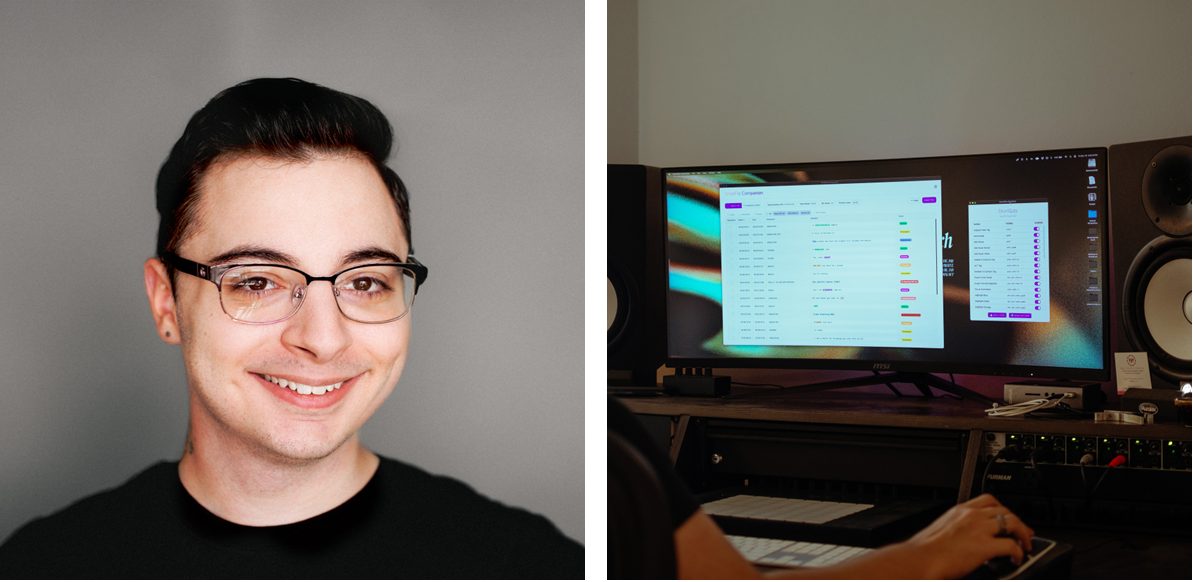
So, I created Companion, designed specifically for reading, editing, and working with VoiceQ snapshots. Adapters can easily separate scripts into scenes, like you can in VoiceQ, and group several scenes into “Passes” for easier workflow management. Scenes created in Companion import seamlessly back into VoiceQ, and snapshots containing scenes import seamlessly into Companion with all scenes fully intact.
Its other primary function is a multi-layered QC feature that combines two open-source programming libraries, the MIT-licensed compromise.js and Apache 2.0-licensed Harper, as well as custom logic written by myself, for granular natural-language processing, part-of-speech analysis, as well as robust grammar and spell-checking.
Companion is also designed to provide more detailed insights into character-level and full-script analytics for studio-side casting, production, and scheduling than the commonly-used Excel scripts are able to provide, which studios typically generate manually using lengthy Excel formulas. Quickly find total words in a script, character-level words-per-minute pace, calculated dialogue density, and more.
How does Companion and ShortQuts integrate with other platforms?
Companion and ShortQuts were designed to work specifically with VoiceQ, with the core idea being that Companion helps you develop a structured game plan for working through an adaptation and managing your quality and progress along the way, while ShortQuts enables you to execute that game plan inside VoiceQ more quickly. Right now, both tools work solely with VoiceQ; Companion only recognizes VoiceQ snapshots, and ShortQuts will only automate actions in VoiceQ.
ShortQuts can hypothetically be used to create hotkey-bound automations for any app or action on macOS, as it’s powered under-the-hood by the open-source MIT-licensed macOS automation tool, Hammerspoon; but Hammerspoon itself would be more recommendable than extending ShortQuts.
Companion is primarily a JavaScript-based application built with React, NodeJS, and some TypeScript, packaged as a .app with Electron to allow for easy implementation of existing libraries and tools like compromise.js for NLP & POS tagging, Harper (as WebAssembly), and for flexibility with integrating more features and potential data sources in the future. The framework for allowing Companion to work with Excel files is certainly there, it’d just result in less precise results, as VoiceQ snapshots are much more data-rich than Excel-script equivalents.
What are your aspirations for Companion and ShortQuts?
Primarily, for these tools to help people and make a positive improvement in their workflows. Both apps are purpose-built to work with VoiceQ, and aren’t compatible with any other software at this time.
More specifically, I do have a roadmap of some features I’m exploring for future versions, like automatic Excel script prep (for PLDL’s, DL’s, client-provided scripts being worked from in adaptation), which would involve non-spoken tag removal (like ‘(on)’ or ‘(off)’, or ‘(speaking to John)’, etc.), normalizing <angle-bracketed reactions> into [bracketed reactions], video & audio-aware line splitting to avoid having to manually break up a paragraph into individual lines, and automatically spotting those lines to match the OV audio precisely.
However, while the text-based aspects of that feature are easy to implement, the video & audio-aware line splitting and spotting is a significant undertaking that I may have to toil with for a while before it’s ready.
How do Dubbing enthusiasts and professionals access Companion and ShortQuts software?
Its very simple, both Companion and ShortQuts are FREE downloads at www.scriptflip.digital/software
What would be your advice to those seeking a career in Dubbing?
Dubbing is an extremely fun, challenging, rewarding industry to be a part of, and very unique in how welcoming it is to newcomers.
Whether you’re administratively inclined toward project management, production, scheduling, or coordination, or creatively inclined toward adaptation, acting, recording, directing, and beyond, there are many roles in the dubbing industry to be filled. In being part of the greater localization industry, dubbing inherently depends on the presence and application of different perspectives; people from varying places, cultures, and backgrounds, who possess different opinions, subjective viewpoints, and skill sets. Fundamentally, if you’re someone who is excited by the idea of telling stories, and you’d like to be a part of helping those stories reach as many people as possible, dubbing is a great industry to be a part of.
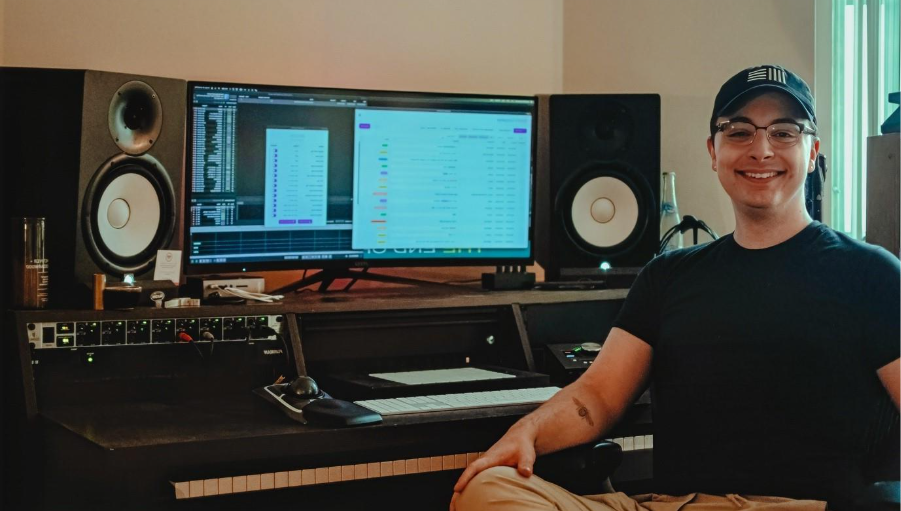
Why did you choose VoiceQ as a competitive solution?
VoiceQ is the first tool of its kind that I came across, and in being exposed to alternatives and other methods of adapting and working with lip-sync and other types of dubs, I haven’t found a competitor that offers everything that VoiceQ does, let alone more. When I adapt in VoiceQ, I’m fast. I can insert new lines, change characters, highlight lines, add comments, and write alternate versions in less than a second per operation.
When you’re adapting full time, per-operation speed and optimization are extremely important. In a perfect world, you have all the time you need to complete an adaptation, but client deadlines move, project priorities shift, and assets get delayed. When you’re working against the clock, and you can’t sacrifice quality, you certainly can’t afford to be fighting against your tools. You need something that works, something resilient and responsive enough to where you can focus on adapting, and know that it’ll move as efficiently as you do.

Share
Up Next
Our paid trial gives you and your team full access. Create a project in minutes.